

Why High Speed Website Hosting Decides Whether Visitors Stay or Leave
High speed website hosting is the single biggest factor controlling how fast your site loads — and how many visitors actually stick around to become customers.
Here are the top high-speed hosting providers ranked for performance:
| Rank | Provider | Key Speed Tech | Starting Price |
|---|---|---|---|
| 1 | WP Buzz | 5.7 GHz CPUs, LiteSpeed, Redis | $15/mo |
| 2 | Hyper.host | NVMe SSDs, LiteSpeed, Global CDN | $9.99/mo |
| 3 | FastComet | AMD EPYC, LiteSpeed, NVMe | ~$3/mo |
| 4 | Hosting.com Turbo | NVMe, LiteSpeed, HTTP/3 | ~$5/mo |
| 5 | HostPapa | NVMe, CloudLinux, CDN | $2.95/mo |
| 6 | Kinsta | Google Cloud, Edge CDN | $30/mo |
| 7 | WP Engine | Managed WordPress, CDN | $25/mo |
Here’s why this matters so much:
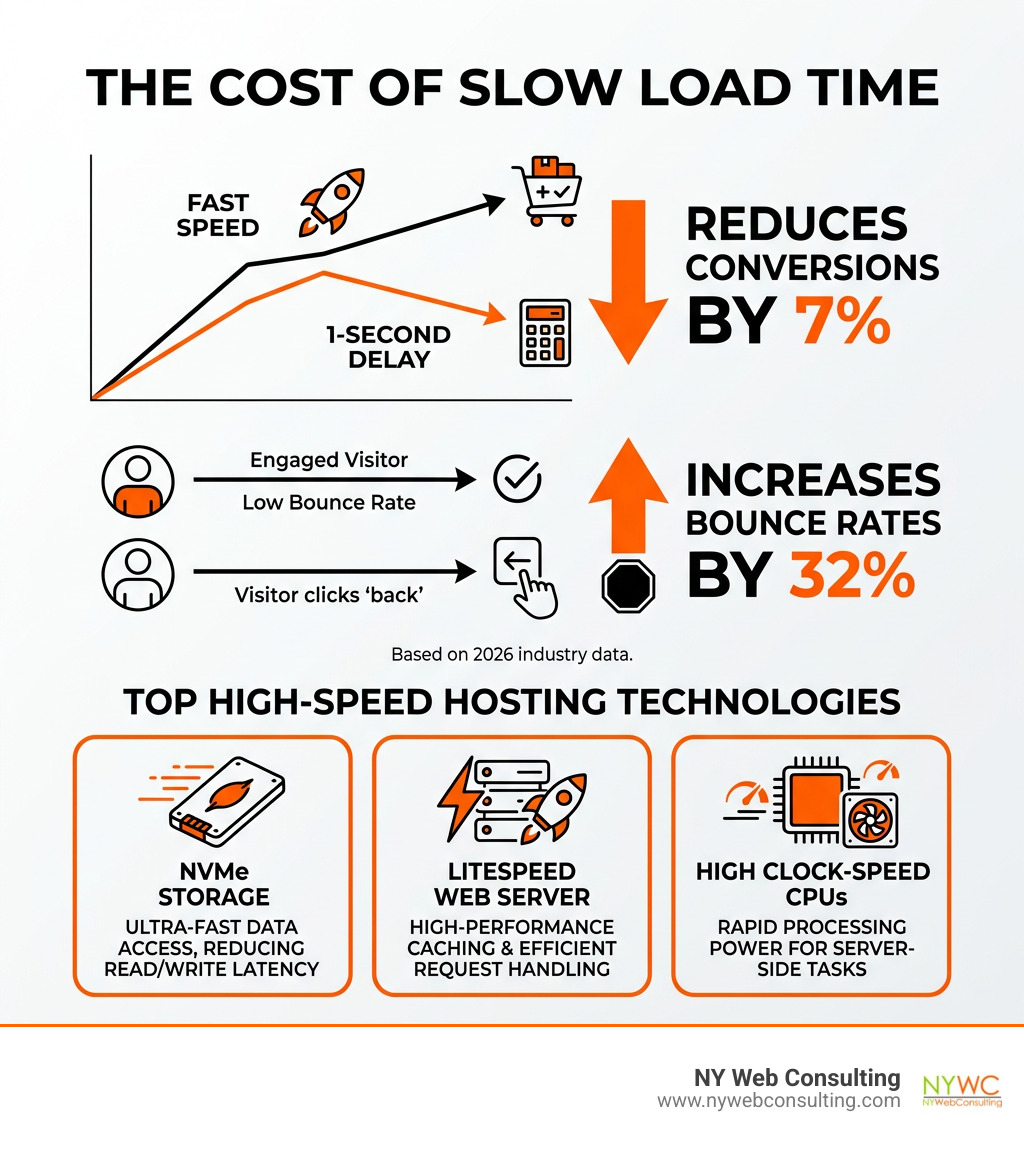
- A 1-second delay in page load time cuts conversions by 7%
- If your site takes more than 3 seconds, most visitors are already gone
- Google ranks faster sites higher in search results
- Slow hosting directly hurts your bottom line — not just your user experience
Most small business owners pick a hosting plan based on price alone. That’s a costly mistake. The cheapest plan often means shared servers packed with hundreds of other websites, sluggish storage, and zero performance optimization.
The good news? Fast hosting doesn’t have to be expensive. Technologies like NVMe storage, LiteSpeed web servers, and high clock-speed CPUs have made enterprise-grade performance accessible at every budget level.
I’m Brian Butrym, founder of NY Web Consulting, a results-driven web design firm based in Glendale, Queens — where we build extremely fast, high-ranking websites for small businesses that need high speed website hosting to compete online. In this guide, I’ll break down exactly which hosts deliver real-world speed, and which ones just make big claims.
The Anatomy of High Speed Website Hosting
When we talk about “speed,” we aren’t just talking about a feeling. We’re talking about physics and engineering. To get your website to load in under two seconds, the server it lives on needs a specific set of high-performance components.
Think of your website like a car. If you have a Ferrari body (a beautiful web design) but a lawnmower engine (cheap hosting), you aren’t winning any races. For residents and business owners in Queens and throughout NYC, having a site that responds instantly is the difference between a new lead and a lost opportunity.
Modern high speed website hosting relies on several key technologies:
- NVMe Storage: The newest standard for hard drives.
- LiteSpeed Enterprise: A web server software that is significantly more efficient than older systems like Apache.
- High Clock-Speed CPUs: Processors that can handle complex tasks (like loading a WordPress site) in milliseconds.
- HTTP/3 Protocol: The latest web standard that speeds up how data travels between the server and the visitor’s browser.
Improving these technical foundations is one of the most effective ways to improve Google search rankings because Google’s algorithms explicitly reward sites that provide a fast user experience.
Why NVMe Outperforms Standard SSDs
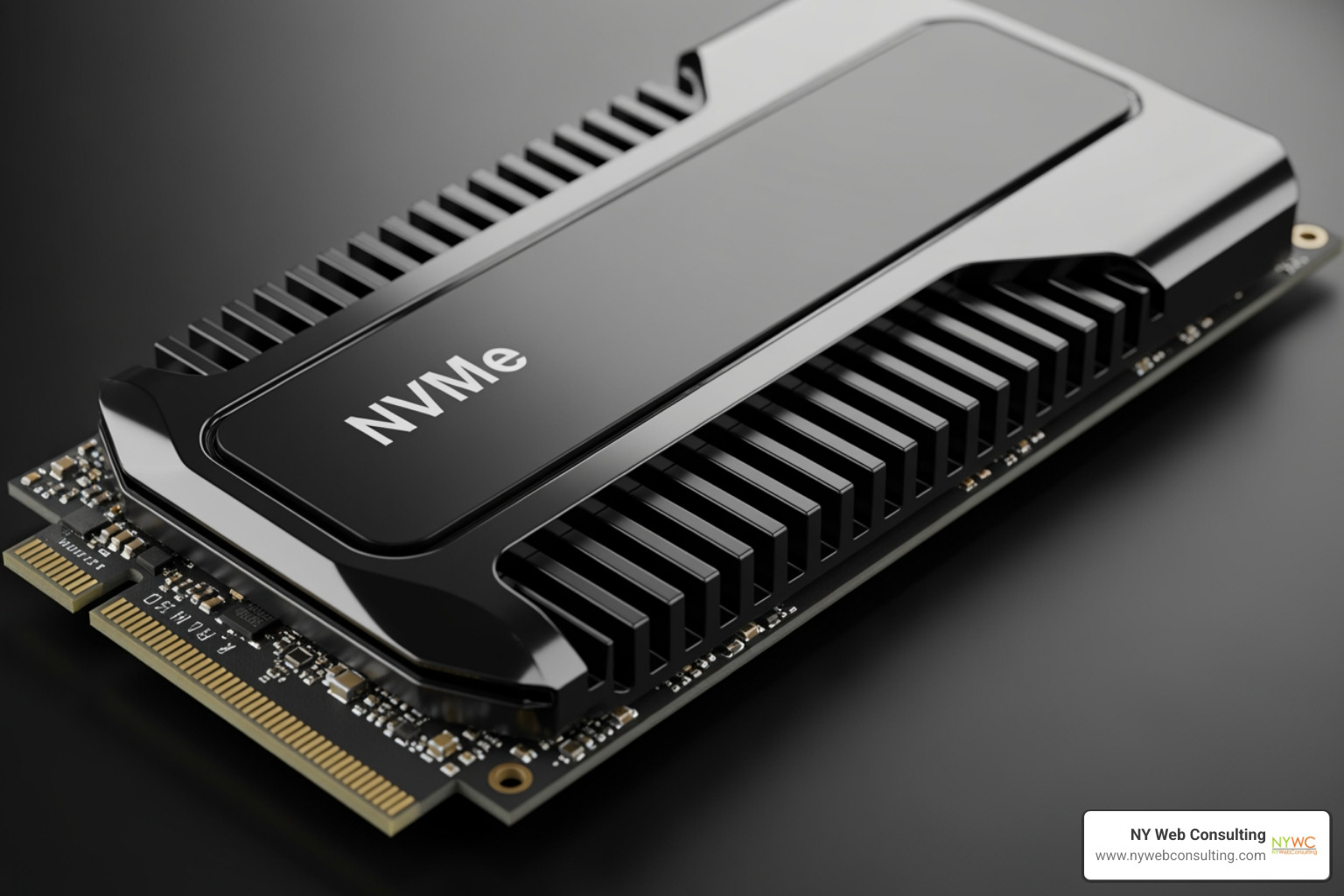
For years, Solid State Drives (SSDs) were the gold standard. But today, enterprise-grade NVMe (Non-Volatile Memory Express) has taken over. Research shows that NVMe storage offers over 3x faster read/write speeds compared to standard SSDs, and up to 7x faster queries for databases.
When a visitor clicks on your site, the server has to “read” your files and database. Standard storage creates a bottleneck. Samsung enterprise-grade NVMe SSDs, used by top-tier hosts, can read and write data up to 12x faster than the drives found in budget hosting plans. This means that even if you have a large, image-heavy site, the server can deliver those files to the visitor’s screen almost instantly.
The Impact of High Clock-Speed CPUs
Most people look at the number of “cores” a server has, but for platforms like WordPress, the “clock speed” (measured in GHz) is actually more important. WordPress is largely single-threaded, meaning it processes tasks one by one.
A server running 5.7 GHz CPUs—the highest clock speed currently available—can execute PHP code (the language WordPress is built on) much faster than a server with more cores but a slower speed. Turbo servers equipped with these high-frequency processors can reach the “first byte” of data 2x faster than traditional setups. This reduces the “Time to First Byte” (TTFB), which is a critical metric for both user perception and SEO.
Comparing Hosting Architectures for Maximum Performance
Not all hosting environments are created equal. Depending on your traffic and the complexity of your site, the architecture of your hosting plan will dictate your maximum speed.
| Hosting Type | Resource Isolation | Speed Potential | Best For |
|---|---|---|---|
| Shared | Low (Resources are shared) | Moderate | Small blogs, local service sites |
| VPS | High (Dedicated slice) | High | Growing businesses, eCommerce |
| Dedicated | Absolute (Entire server) | Maximum | High-traffic enterprise sites |
| Managed WP | Optimized (Coherent stack) | Ultra-High | WordPress-specific performance |
For many of our clients in Glendale and Queens, we recommend starting with a high-quality shared or managed plan that utilizes CloudLinux. CloudLinux is a technology that isolates each user on a shared server, preventing one “resource hog” website from slowing down everyone else. You can learn more about these different options in our Web Hosting Services Complete Guide.
Why Managed WordPress is the Gold Standard for High Speed Website Hosting
Managed WordPress hosting is specifically tuned for one job: making WordPress fly. Unlike general hosting, these plans use a “coherent tech stack.” This means the hardware, the operating system, the web server (LiteSpeed), and the caching layers (Redis) are all designed to work together perfectly.
In a standard hosting environment, you often have to “duct-tape” your speed together using five different plugins. In a managed high-speed environment, the optimization happens at the server level. This eliminates plugin conflicts and ensures that cache purging is instant and reliable. Plus, you get features like staging environments, where you can test changes on a copy of your site before pushing them live, ensuring you never break your site’s performance during an update.
VPS vs Dedicated Resources for eCommerce
If you are running a WooCommerce store or a site that handles millions of pageviews, you need dedicated resources. When a site goes viral or experiences a holiday traffic spike, shared hosting can buckle under the pressure.
A Virtual Private Server (VPS) or a Dedicated Server provides isolated environments where 100% of the CPU and RAM are reserved for you. This ensures that your database—which handles customer orders and inventory—never lags. For eCommerce, a 1-second slowdown doesn’t just annoy people; it literally kills your sales.
Advanced Speed Optimizations: Beyond the Server
While the server is the foundation, there are “edge” technologies that can make your site feel fast even if the visitor is on the other side of the world. Even for a local business in New York City, your visitors might be accessing your site from different networks or mobile devices, making these optimizations essential.
One of the easiest ways to help your server is to How to Reduce Your Image File Size to Increase Website Speed. Smaller files travel faster, plain and simple.
Global Delivery via High Speed Website Hosting CDNs
A Content Delivery Network (CDN) stores copies of your website’s static files (images, CSS, JavaScript) on a network of servers around the globe. When someone in NYC visits your site, they get the data from a server in New York. If someone in London visits, they get it from a server in London.
Advanced CDNs now offer “edge caching,” which caches the entire HTML of your page at the network’s edge. This reduces latency to near zero. Combined with Anycast DNS—a technology that speeds up the time it takes for a browser to find your website’s address—your site can achieve “warp speed” delivery globally.
Software-Level Tweaks for Warp Speed
Beyond hardware, the software configuration matters. Top-tier hosts offer one-click optimizations that include:
- Brotli or Gzip Compression: Shrinking the size of your website data before it’s sent.
- Minification: Removing unnecessary characters from your code to make files smaller.
- Redis Object Caching: Storing database query results in the server’s RAM so they don’t have to be recalculated every time a page loads.
- HTTP/3 and QUIC: These protocols reduce the “handshake” time between the browser and server, which is especially beneficial for mobile users on 4G or 5G networks.
Performance Benchmarks and Uptime Guarantees
When choosing a host, don’t just listen to their marketing. Look at the benchmarks. The three most important metrics today are Google’s “Core Web Vitals”:
- LCP (Largest Contentful Paint): How fast the main content loads. (Goal: Under 2.5s)
- INP (Interaction to Next Paint): How responsive the site feels when you click something. (Goal: Under 200ms)
- CLS (Cumulative Layout Shift): Does the page jump around while loading? (Goal: Under 0.1)
You can Monitor performance via Google Search Console to see how your current host is performing for real-world users.
Understanding the 99.9999% Uptime Standard
Uptime is just as important as speed. If your site is down, its speed is zero. Most hosts offer a 99.9% uptime guarantee, which sounds great but actually allows for nearly 9 hours of downtime per year. Premium hosts often aim for “six nines” (99.9999%) or even 100% uptime guarantees. These providers use redundant failover systems, meaning if one server hardware component fails, another immediately takes its place without your site ever going offline.
Security Features That Don’t Slow You Down
In the past, security features like firewalls could slow down a website. Modern high speed website hosting uses Web Application Firewalls (WAF) and DDoS mitigation that operate at the network level. This means they filter out malicious traffic and “bad bots” before they even reach your server, actually saving your server’s resources for real human visitors. Every quality plan should also include a free SSL certificate, which is now a requirement for both security and Google ranking.
Frequently Asked Questions about Fast Hosting
Does server location affect my website speed?
Yes. Physical distance creates latency. If your primary audience is in New York City, you want a host with data centers in or near the NYC/Ashburn, VA area. The closer the server is to the visitor, the less time the data spends traveling through fiber optic cables.
Is high speed website hosting worth the extra cost?
Absolutely. Statistics show that a 1-second delay can increase bounce rates by 32%. If you are spending money on marketing or SEO, but your host is slow, you are throwing money away. The ROI of a faster site comes from higher conversion rates and better search engine visibility.
How do I test my current host’s performance?
You can use free tools like GTmetrix, PageSpeed Insights, or Pingdom. Look specifically at the “Time to First Byte” (TTFB). If your TTFB is consistently over 500ms, your server is likely the bottleneck, and it might be time to switch to a higher-performance provider.
Conclusion
At NY Web Consulting, we’ve seen how a move to high speed website hosting can transform a business. In Glendale and Queens, the local market is competitive. If your website takes five seconds to load while your competitor’s loads in one, you’ve lost the lead before they even see your phone number.
We specialize in building websites that aren’t just pretty—they are engineered for lead generation, incredible user experience, and top-tier SEO performance. Whether you are a local service provider or a growing eCommerce brand, your hosting foundation is the key to your digital success.
Ready to see what a high-performance site looks like? Check out our latest work on the Top 10 Vending Website Designs in 2025 and see how we combine speed with cutting-edge design to help our clients win.