

What Is Domain Mail Hosting — and Why Does It Matter for Your Business?
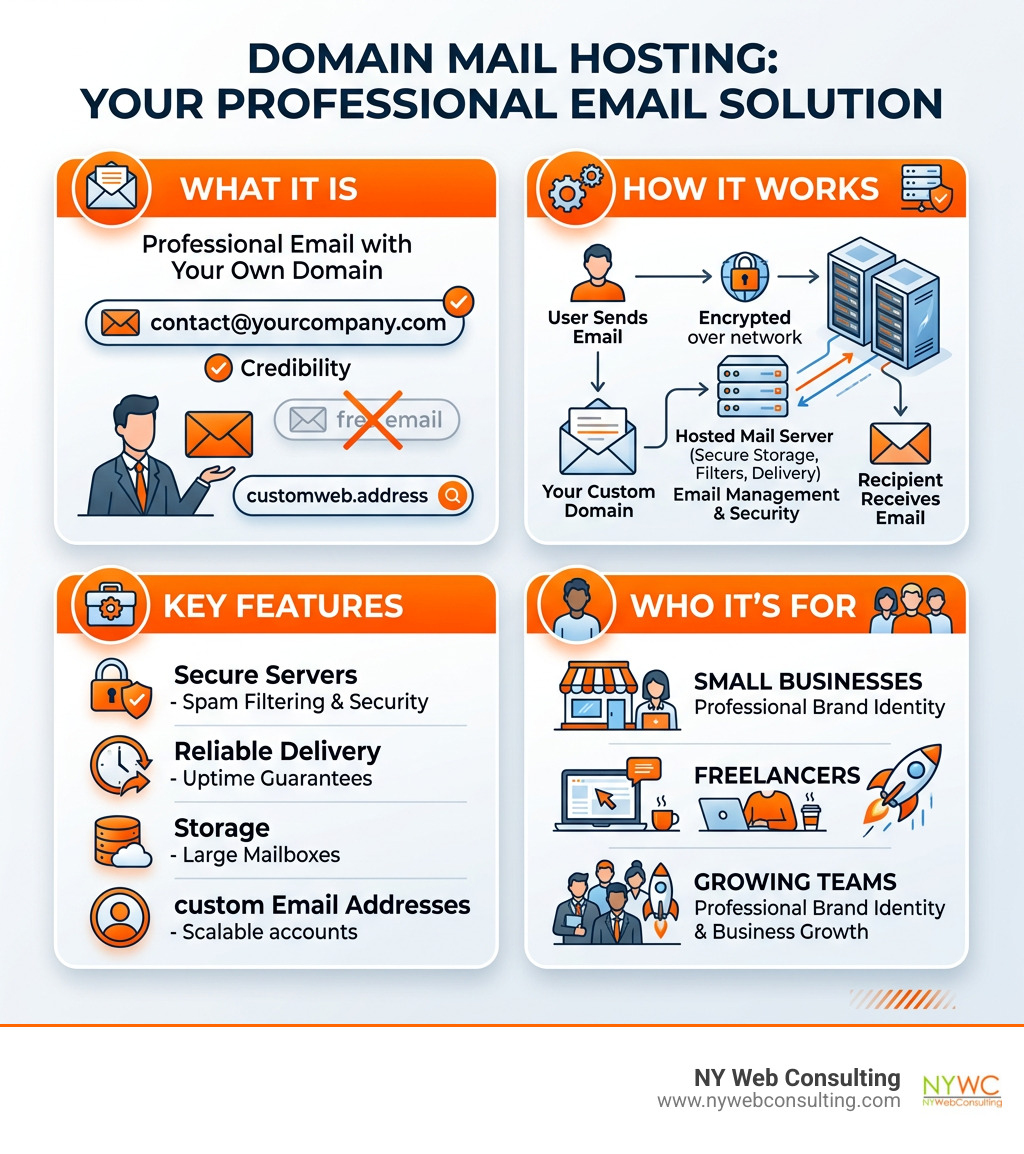
Domain mail hosting is a service that lets you send and receive email using your own domain name — like [email protected] — instead of a free address from Gmail or Yahoo.
Here’s a quick breakdown:
- What it is: A hosted email service tied to your custom domain (e.g.,
@yourbusiness.com) - How it works: A provider stores and manages your email on secure servers, handling delivery, spam filtering, and security
- Why it matters: Customers are 9 times more likely to choose a company with a professional email address
- What you get: Custom addresses, security features (SPF, DKIM, DMARC), storage, and uptime guarantees
- Who it’s for: Small businesses, freelancers, and growing teams who want to look credible online
With over 5.56 billion people online as of early 2025, your email address is often the first impression you make. A generic Gmail handle can quietly undermine the trust you’ve worked hard to build.
I’m Brian Butrym, founder of NY Web Consulting — a results-driven web design and marketing firm based in Glendale, Queens, NY. Helping local businesses get their domain mail hosting set up correctly is a core part of what we do, right alongside fast, secure website builds that rank. Let’s walk you through everything you need to know.
Why Your Business Needs Professional Domain Mail Hosting
In the bustling streets of Queens and across the wider New York City area, competition is everywhere. Whether you’re running a bakery in Glendale or a tech startup in Long Island City, your digital presence is your modern-day storefront. While a personal Gmail account is great for emailing your cousin about Sunday dinner, it doesn’t quite cut it when you’re sending a high-stakes proposal to a new client.
Research shows that customers are 9 times more likely to choose a company with a professional email address. Why? Because a custom domain email signals that you are an established, legitimate entity. It builds immediate brand trust and credibility. When you use domain mail hosting, you aren’t just sending a message; you’re reinforcing your brand with every single interaction.
Investing in a professional email domain is one of the most cost-effective ways to boost your business authenticity. It differentiates you from the millions of “fly-by-night” operations that use free services. Furthermore, professional hosting ensures your official communications are reliable and secure. For a deeper look at how this fits into your overall online strategy, check out our Web Hosting Services Complete Guide.
The Difference Between Personal and Domain Mail Hosting
The most obvious difference is the part that comes after the “@” symbol. Personal email services like Gmail, Yahoo, or Outlook.com provide you with a generic address. Domain mail hosting, on the other hand, allows you to use your own registered domain name (e.g., [email protected]).
Beyond the name, the “separation of concerns” is vital. Keeping your business and personal emails separate prevents you from accidentally sending a client a link to your kid’s soccer schedule. Professional hosting also offers higher storage limits, better security protocols, and advanced administrative controls that personal accounts simply don’t provide.
Building Brand Authenticity
Every email you send is a marketing opportunity. When you use a custom domain, you are promoting your website and company with every “Send” click. This distinguishes you from competitors who may still be using outdated personal addresses.
One of the best ways to build this authenticity is through email aliases. You can create multiple addresses like [email protected], [email protected], or [email protected], all of which can funnel into a single inbox if you’re a solopreneur. This gives the impression of a larger, more organized team, which is essential for growing businesses in NYC. Professional domain email options allow for this kind of professional scaling and organizational growth.
Essential Features of a Secure Email Hosting Service
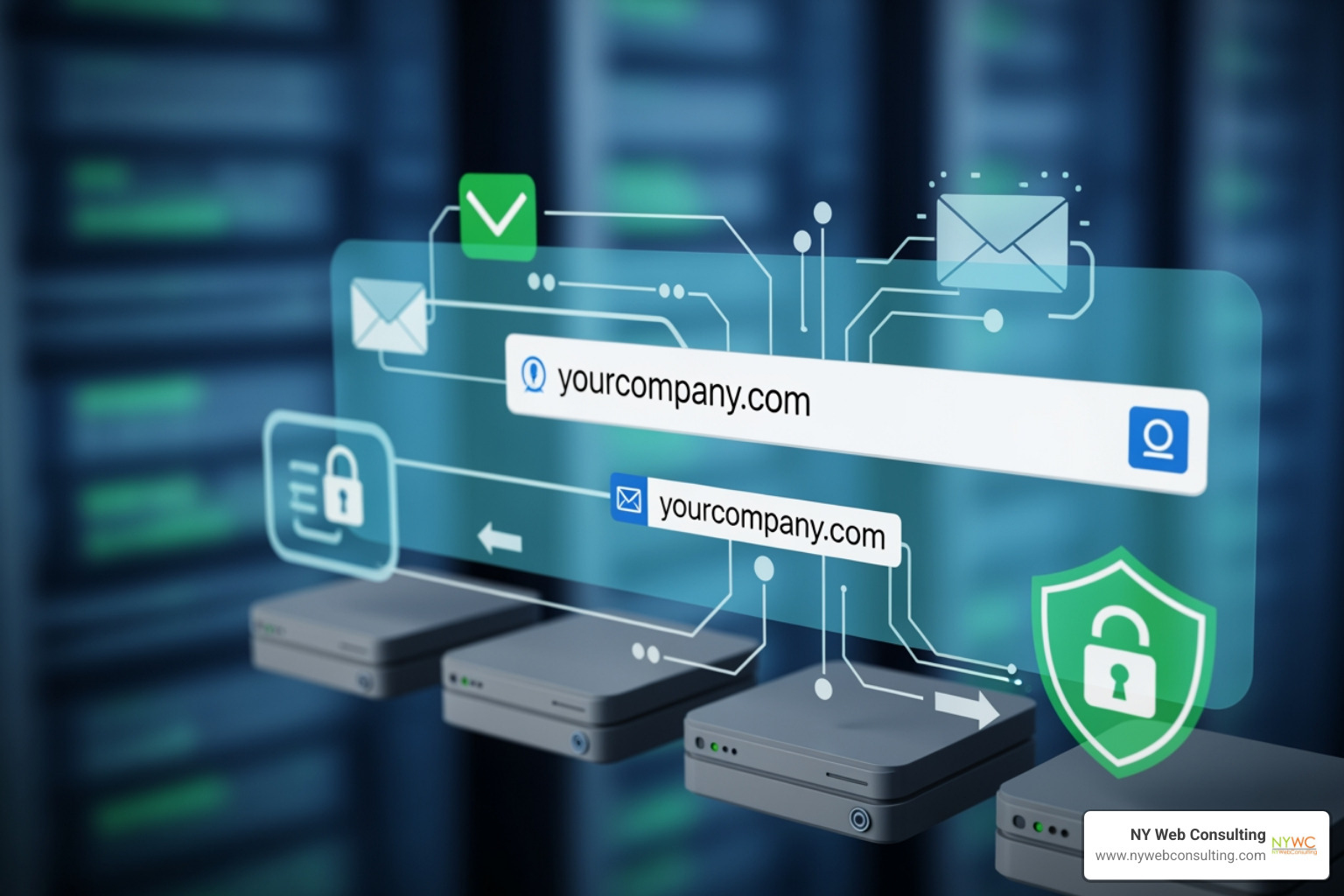
When choosing a domain mail hosting provider, you shouldn’t just look at the price. With over 5,000 websites attacked every day, security and reliability are non-negotiable. Most professional plans today live on cloud or managed hosting, which offers better scalability and stability than old-school physical servers.
Here is a quick look at what we consider the “gold standard” for professional email features:
| Feature | Importance | What to Look For |
|---|---|---|
| Uptime Guarantee | Critical | 99.9% to 99.99% uptime |
| Storage | High | At least 10GB to 50GB per user |
| Security | Essential | SPF, DKIM, DMARC, and 2FA |
| Spam Filtering | Essential | 99.9% malicious email block rate |
| Support | High | 24/7 technical assistance |
Advanced spam and virus filters are your first line of defense. High-quality email hosting services stop 99.9% of malicious emails before they even hit your inbox. This protection is vital for safeguarding your business data and maintaining your reputation with clients.
Security Protocols: SPF, DKIM, and DMARC
If those acronyms look like alphabet soup, don’t worry — we’re here to demystify them. These three protocols are the pillars of modern email security:
- SPF (Sender Policy Framework): This tells the world which mail servers are authorized to send email on behalf of your domain.
- DKIM (DomainKeys Identified Mail): This adds a digital signature to your emails, ensuring the content wasn’t tampered with during transit.
- DMARC (Domain-based Message Authentication, Reporting, and Conformance): This uses SPF and DKIM to give receiving servers instructions on what to do if an email fails authentication (like sending it straight to spam).
Implementing these, along with Two-Factor Authentication (2FA), significantly reduces the risk of your domain being used for phishing or spoofing. Many professional providers include these features as standard.
AI Tools and Productivity
In 2025 and 2026, domain mail hosting isn’t just about sending text; it’s about working smarter. Modern providers are integrating AI tools directly into the inbox. For example, many modern business email platforms offer AI email writing assistants that can help you draft, summarize, and reply to messages in seconds.
Productivity features to look for include:
- Natural Language Search: Find that one email from three months ago by typing “that invoice from the Queens florist.”
- Integrated Calendars: Seamlessly schedule meetings without leaving your inbox.
- Mobile-First Design: Ensuring your email experience is just as powerful on your iPhone or Android as it is on your desktop.
- Read Receipts and Templates: Tools offered by premium services let you know when a client has opened your proposal.
How to Set Up and Migrate Your Custom Business Email
Setting up your domain mail hosting might seem daunting, but it’s a straightforward process when broken down into steps. Whether you’re starting fresh or moving away from a service that’s become too expensive, the goal is always zero downtime.
Choosing the Right Plan for Domain Mail Hosting
Your choice depends on your team size and storage needs.
- Starter Plans: Often offer 5GB to 10GB of storage, perfect for freelancers.
- Business Plans: Typically provide 30GB to 50GB and include more advanced collaboration tools.
- Enterprise Plans: Can offer up to 500GB or even unlimited storage for large organizations.
Some professional providers offer a “Hybrid Mailbox Architecture,” allowing you to mix and match plan levels for different employees to optimize costs. For businesses that need a more comprehensive suite of tools, our Office 365 Consulting can help you integrate email with the full Microsoft ecosystem.
Step-by-Step Migration Process
If you’re already using a service like Google Workspace or a free account and want to switch, you don’t have to lose your history. Most modern hosts provide an email import tool to automate the process.
- Backup Your Data: Always create a backup of your current emails and contacts.
- Purchase Your New Plan: Sign up for your chosen domain mail hosting service.
- Update DNS Records: This is the most technical part. You’ll need to update your MX (Mail Exchange) records to point to your new provider. Think of this as telling the “digital post office” where to deliver your mail.
- Run the Import Tool: Use IMAP migration or upload PST files to move your old messages into the new inbox.
- Test Deliverability: Send a few test emails to ensure everything is arriving and sending correctly.
DNS propagation — the time it takes for these changes to update across the internet — usually happens within an hour, though it can officially take up to 48 hours.
Frequently Asked Questions about Domain Mail Hosting
Can I get a truly free domain email?
The short answer is: not really. All domain names are managed under ICANN, which charges fees to registrars. While some services offer a “free” domain (like @yourbrand.co.site) bundled with their email plans, there is usually a cost involved for the hosting itself.
Truly free services allow you to pick from a pool of shared domains (like @engineer.com or @artlover.com), but these lack the professional punch of a fully customized domain and email address. For a business, paying a small monthly fee for a dedicated domain is always the better investment.
Do I need a website to have a domain email?
No! You can absolutely have domain mail hosting without a live website. You simply need to own the domain name. This is a great strategy for new businesses in Glendale or Queens that want to start communicating professionally while their website is still under construction. It also allows you to protect your brand name before someone else grabs the domain.
How does domain email improve security?
Unlike free personal accounts that are often targets for mass hacking attempts, professional secure hosting accounts offer dedicated security layers. This includes:
- Advanced Filtering: Blocking 99.9% of spam and viruses.
- Audit Logs: Tracking who accessed the account and from where.
- Encryption: Using SSL/TLS to ensure your messages can’t be read by prying eyes.
- Backup and Recovery: Options to restore deleted emails or recover Gmail messages if you’ve integrated with those platforms.
For more on staying safe, we always recommend following the latest email security best practices.
Conclusion
Navigating domain mail hosting doesn’t have to be a headache. At NY Web Consulting, we believe that every business in Glendale, Queens, and the greater NYC area deserves a digital presence that works as hard as they do. By moving away from generic email addresses and embracing a professional, secure, and branded solution, you’re telling your customers that you’re the real deal.
We specialize in more than just email; we’re experts in transforming websites into powerful lead generation tools. From mobile-responsive design to industry-leading security and SEO, we handle the technical heavy lifting so you can focus on running your business.
Ready to level up your professional communication? Explore our Website Hosting with Email services today, and let’s build something great together right here in Queens.