
Why User Journey Design Is Critical for Your Business Success
User journey design is the process of mapping every step a user takes with your product or service, from first awareness to loyal customer. This visual approach helps you understand what users experience, think, and feel at each touchpoint.
Essential components of user journey design:
- User personas – detailed profiles of your target users
- Journey stages – awareness, consideration, purchase, retention, advocacy
- Touchpoints – every interaction point (website, social media, emails, support)
- User actions – specific steps users take at each stage
- Emotions and thoughts – how users feel throughout their experience
- Pain points – friction areas that cause frustration or abandonment
- Opportunities – moments to improve the experience
User journey maps help you gain valuable insights by focusing on user thoughts, feelings, and goals. They foster a user-centric mentality and create a shared vision that aligns marketing, sales, and product teams. Most importantly, they uncover blind spots in your current experience that might be causing customers to leave before converting.
At NY Web Consulting, we’ve helped countless small businesses transform their online presence by applying user journey design principles to create fast, secure, and conversion-optimized websites. Our results-driven approach combines user journey mapping with technical excellence to build websites that turn visitors into clients.
The Foundation: Understanding User Journey Maps
Think of a user journey design as a story map of your customer’s experience. It’s a visual representation that shows what happens when someone engages with your product or service, capturing their entire relationship with your brand.
What makes these maps so powerful is how they shift your perspective from an internal business view to your customer’s. This user-centric approach reveals surprising insights about what’s actually happening versus what you think is happening.
By mapping these experiences, you can identify pain points that drive customers away, such as a confusing checkout process. You’ll also find opportunities for meaningful improvements, leading to improved conversion rates. Perhaps most importantly, journey maps create a shared vision across your team, aligning everyone toward common goals. This holistic view uncovers blind spots, like a disconnect between marketing promises and the actual product experience.
Key Components of a User Journey Map
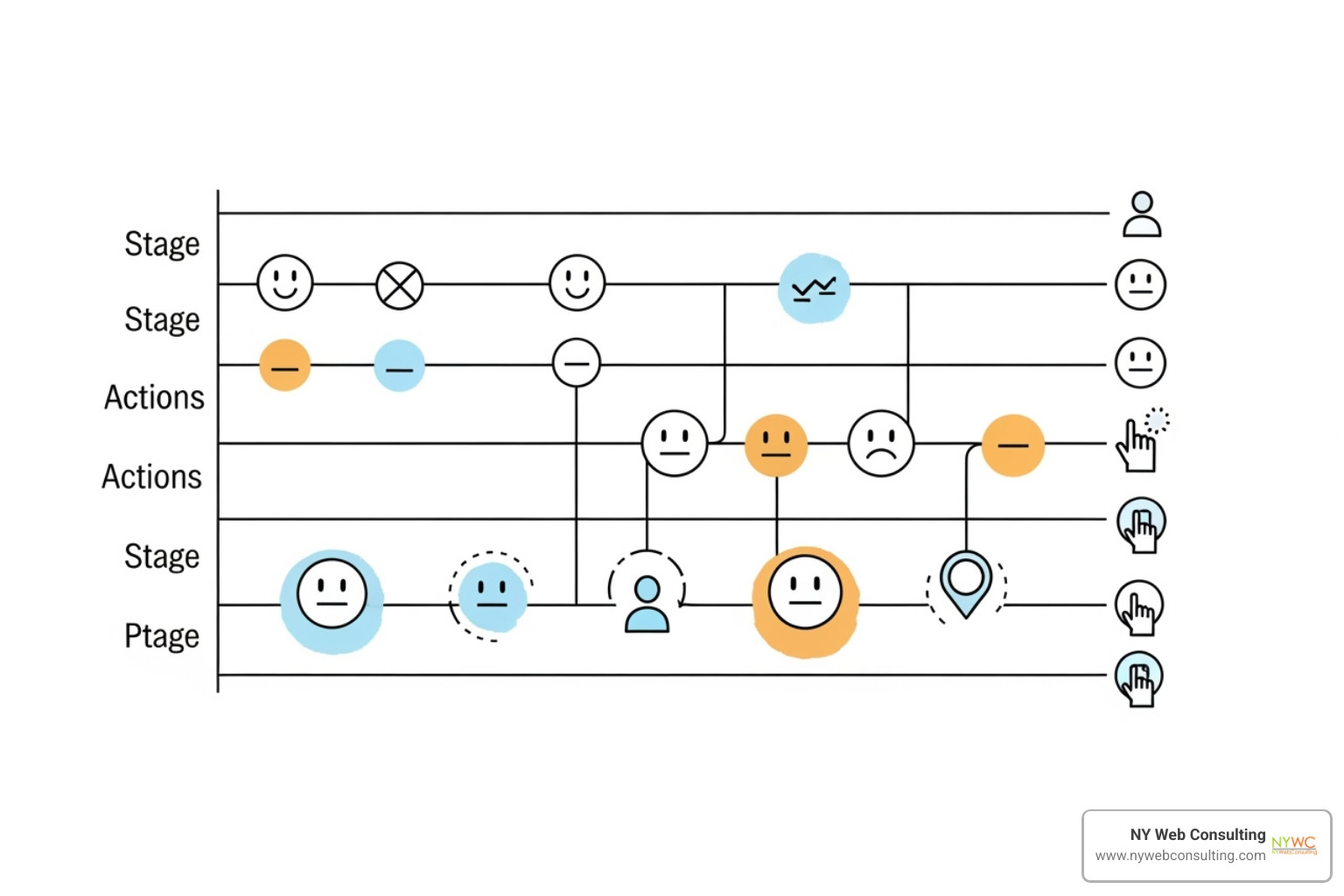
An effective user journey map includes several building blocks that paint a complete picture of the user’s experience.
- User Persona: A detailed profile of the target user, including their goals, motivations, and challenges. You’ll need separate maps for different personas.
- Scenario: The specific goal the user is trying to achieve or the problem they want to solve.
- Journey Stages: The major phases of the experience, such as awareness, consideration, purchase, and retention.
- Touchpoints: Every interaction the user has with your brand, from visiting your website to talking to customer support.
- Actions: The specific steps users take at each touchpoint.
- Emotions: How users feel during the process (e.g., excited, frustrated, delighted).
- Thoughts: The user’s internal dialogue, questions, and concerns.
- Pain Points: Obstacles that create negative experiences.
- Opportunities: Moments where you can make meaningful improvements.
User Journey vs. Customer Journey: What’s the Difference?
While often used interchangeably, these terms have an important distinction.
A User Journey focuses on the in-product experience. It maps how someone steers your website or app to complete specific tasks, emphasizing functionality and usability.
A Customer Journey takes a broader scope, including all brand touchpoints from the first ad they see to becoming a loyal advocate. It covers the entire relationship, both online and offline.
Think of it this way: the user journey is the experience inside your store, while the customer journey includes how they found the store and what they do after leaving. Both maps are valuable for a complete understanding of your customer’s experience.
A Practical Guide to User Journey Design
Creating a user journey design is a structured process for building more intuitive digital experiences that convert visitors into customers. This guide provides a step-by-step process for creating effective user journey maps that can transform your Web Design Services.
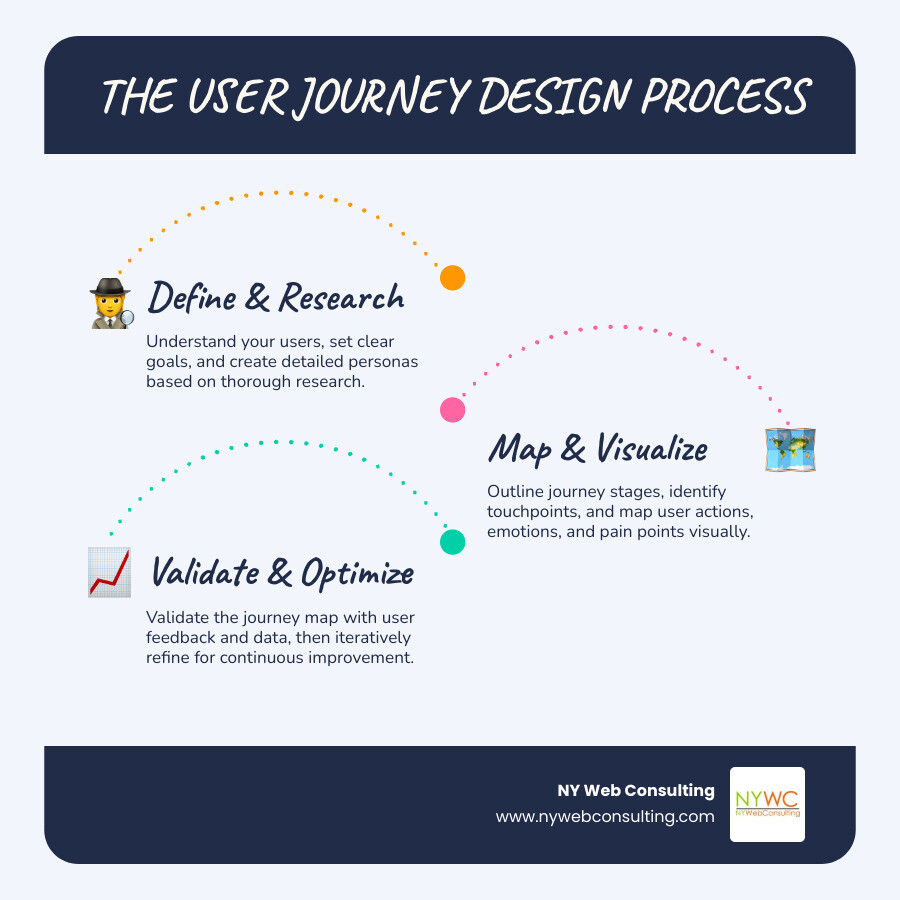
Step 1: Define Scope, Personas, and Goals
First, establish a clear foundation for your map.
- Define the scope: Are you mapping the entire customer lifecycle or a specific interaction, like signing up for a newsletter? A clear scope prevents the map from becoming too complex.
- Set business goals: Define what you want to achieve. Instead of a vague goal like “make things better,” aim for something specific, such as “reduce checkout abandonment by 25%.”
- Create user personas: Build detailed profiles based on real research (interviews, surveys, user feedback), not assumptions. Each persona should have clearly defined goals, frustrations, and expectations. Different user types, like a first-time visitor versus a returning customer, will need their own journey maps.
Step 2: Outline Journey Stages and Touchpoints
Next, chart the path your users take.
- Identify journey stages: Most journeys include awareness, consideration, purchase/decision, retention, and advocacy. Users may not move through these stages linearly.
- List all touchpoints: For each stage, identify every interaction point. This includes your website, social media, emails, and customer support chats, but also offline interactions like phone calls or word-of-mouth recommendations. Involve your whole team to ensure no touchpoint is missed.
Step 3: Map User Actions, Emotions, and Pain Points
This is where you step into your users’ shoes to build empathy.
- Document user actions: For each touchpoint, describe what users are doing. Be specific: instead of “uses the website,” write “scrolls through pricing page, clicks FAQ link, then abandons.”
- Track user emotions: Note how users feel at each step. Are they excited, frustrated, or confused? You can visualize this with emojis, colors, or an emotional graph.
- Identify pain points: These moments of friction or confusion are your greatest opportunities for improvement. A consistent drop-off at a specific step indicates a pain point worth investigating. Base these insights on real research, not guesswork.
Step 4: Visualize the Journey
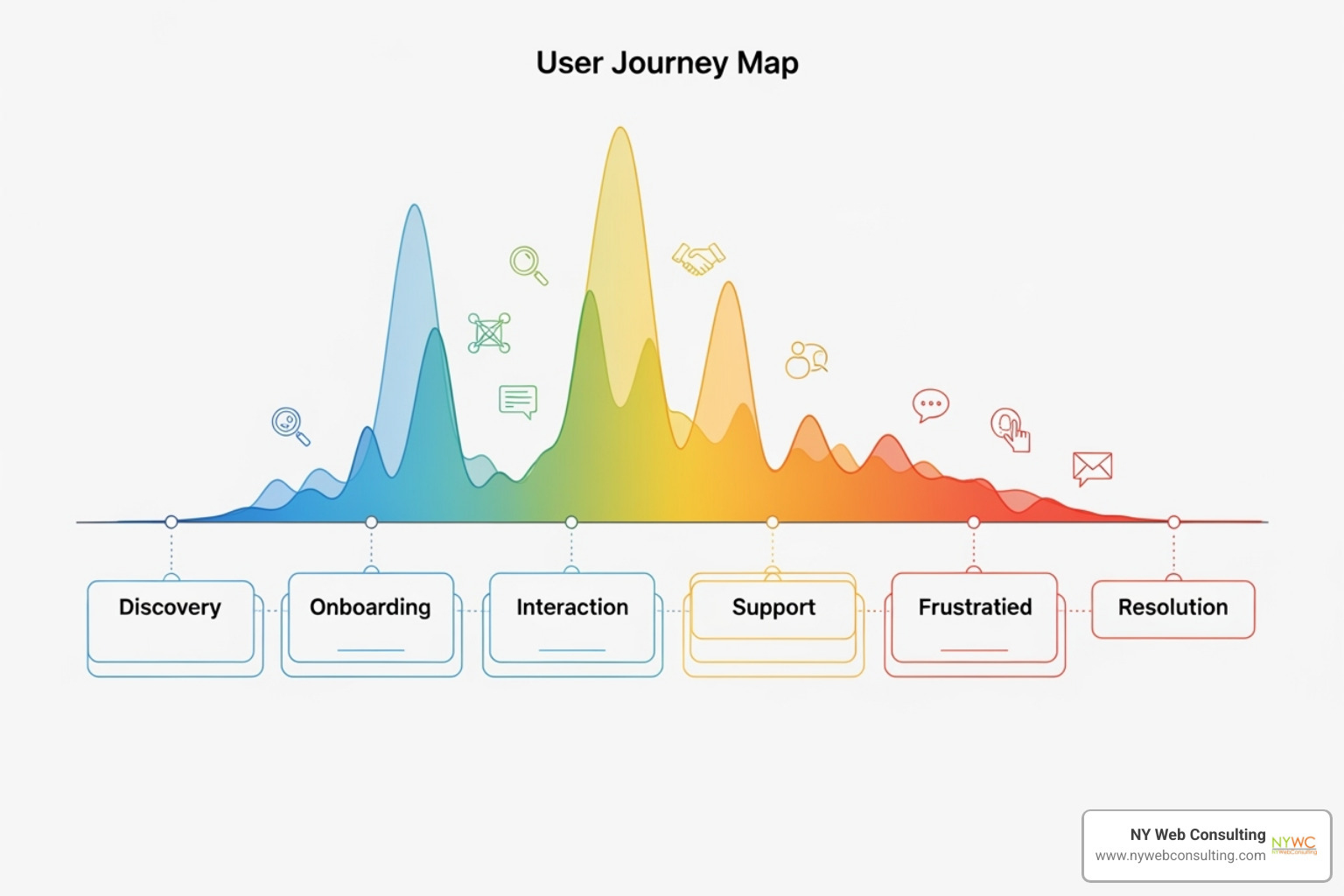
Bring your research to life in a clear, understandable format. You can start with sketches or storyboards on a whiteboard before moving to digital tools like Figma for a more polished version.
Whether you use a timeline, flowchart, or another format, ensure it tells a clear story. Highlight emotional highs and lows, and make pain points impossible to ignore. The visualization should be simple enough for anyone on your team to understand at a glance.
Step 5: Validate and Refine Your Map
User journey design is an ongoing process. Your first map is a hypothesis that needs to be tested and refined.
- Validate with data: Compare your map against analytics from tools like Google Analytics to see if user behavior matches your assumptions.
- Gather feedback: Use usability tests, surveys, and customer interviews to gather direct feedback and observe how users interact with your product.
- Keep your map updated: Treat your map as a living document. Revisit and refine it quarterly or whenever your product evolves or you gain new insights. This iterative approach ensures your map remains a valuable tool for decision-making.
Types of User Journey Maps and When to Use Them
Choosing the right type of user journey design is like picking the right tool for a job. Each type offers unique insights to help you understand your users from different angles.
| Type | Focus | Use Case |
|---|---|---|
| Current-State | The present user experience. | Identifying immediate pain points and making incremental improvements to an existing product or service. Ideal for UX troubleshooting. |
| Future-State | An improved, ideal user journey. | Guiding strategic planning, designing new products or features, and driving innovation. Helps set long-term goals and align product development. |
| Day-in-the-Life | The broader context of the user’s daily life, including non-product interactions. | Designing user-centric products that integrate seamlessly into users’ lives and identifying new opportunities to address unmet needs. |
| Service Blueprint | Both user interactions (frontstage) and internal processes (backstage) that support the experience. | Improving service delivery, aligning cross-functional teams, and reducing inefficiencies in internal processes. Useful for complex service ecosystems. |
Current-State Maps: Diagnosing the Present
Current-state maps provide a reality check by showing your user’s journey as it exists today, including all pain points and roadblocks. They are the go-to tool for troubleshooting an existing product or service, helping you find opportunities for incremental improvements by showing exactly where users are struggling. At NY Web Consulting, we often start with current-state maps to establish a clear baseline for underperforming websites.
Future-State Maps: Envisioning the Ideal
While current-state maps show what is, future-state maps help you envision what could be. They visualize the ideal user journey, free of pain points. These maps guide strategic planning and drive innovation, making them essential when designing a new product or feature. They align your team around a shared vision and serve as a north star for development.
Day-in-the-Life and Service Blueprints
Sometimes you need a wider perspective to fully understand your users.
-
Day-in-the-life maps examine the broader context of a user’s entire day, showing how your product fits into their daily activities. This approach is excellent for identifying new opportunities to serve users better by understanding the “why” behind their actions.
-
Service blueprints include the backstage processes that support the user experience. By showing both what the user sees (frontstage) and what happens behind the scenes (backstage), they are invaluable for aligning internal teams and improving service delivery in complex systems.
Avoiding Pitfalls and Mastering UX Mapping
Creating an effective user journey design requires avoiding common traps. Knowing what to watch for can make the difference between a useful tool and a wasted effort. For more UX tips, read our Blog.
Common Challenges in User Journey Design
Here are the most common mistakes to avoid:
- Making assumptions: Basing your map on what you think users do, rather than on validated research, will lead you down the wrong path.
- Lack of research: Without interviews, surveys, and analytics data, your map is just a guess. Your users’ actual behavior might surprise you.
- Creating a one-size-fits-all map: Trying to capture every user and scenario in one map results in a complex mess. Create dedicated maps for different personas and critical journeys.
- Ignoring emotions: Focusing only on actions misses crucial opportunities. How users feel is as important as what they do.
- Forgetting backstage processes: Ignoring the internal systems and teams that support the user experience creates a disconnect between design and delivery.
- Treating the map as a static document: User behavior and products evolve. A map that isn’t updated regularly becomes obsolete.
Distinguishing User Journeys from User Flows and Empathy Maps
Understanding the difference between UX mapping tools helps you choose the right one for the job.
-
User Flows: These offer a microscopic view of a specific task within your product, like signing up or making a purchase. They are technical blueprints that focus on functionality and system responses, typically without the emotional layer of a journey map.
-
Empathy Maps: Instead of mapping a process, these provide a deep dive into a user’s mind, capturing what they Say, Think, Do, and Feel. An empathy map, like the empathy map canvas by Dave Gray, helps you understand the why behind user behavior and is a great tool for building personas.
In short, user journeys tell the story, user flows detail the steps, and empathy maps provide the psychological context. Using them together gives you a comprehensive understanding of your users.
Frequently Asked Questions about User Journey Design
How do user journey maps foster empathy and a shared vision?
User journey maps act as empathy machines by forcing teams to see a product through the user’s eyes. By visualizing not just what users do, but what they think and feel, abstract problems become tangible. A “simple” form is revealed as a source of frustration; a loading screen becomes a moment of anxiety.
This visual story becomes a shared language for the entire organization. Instead of working from siloed assumptions, marketing, sales, and product teams rally around a single source of truth. This alignment ensures that decisions are made with the user’s best interest at heart, leading to better collaboration and more user-centric products.
What tools are best for creating user journey maps?
The best tool is the one your team will actually use. You can start with low-tech options like whiteboards and sticky notes, which are great for collaborative brainstorming.
For digital and remote collaboration, tools like Miro and FigJam are excellent. For more polished, brand-aligned maps, design tools like Figma offer greater flexibility. If mapping is a core part of your process, dedicated platforms like UXPressia or Smaply provide advanced templates and features.
To get started, the Nielsen Norman Group offers a helpful free template that works with any tool. The value comes from the user insights, not the software itself.
How does user journey design impact SEO?
User journey design and SEO are closely linked. Modern search engines like Google prioritize user experience. When you use journey mapping to identify and fix pain points, you create a better experience that encourages users to stay on your site longer.
Positive user engagement signals—such as longer visit times, lower bounce rates, and more pages per session—tell search engines that your site provides value. This user satisfaction can directly translate into better search rankings.
Furthermore, journey mapping often uncovers issues with the mobile experience. Fixing these problems not only improves conversions but also supports Google’s mobile-first indexing, which is critical for modern SEO. As we detail in our guide on How to Optimize Your Website for Search Engines, a great user experience is a cornerstone of a successful SEO strategy.
Conclusion
User journey design is the key to changing a standard website into a powerful business tool. By mapping your user’s experience, you bridge the gap between what you offer and what your customers truly need. This process allows you to stop guessing and start making informed decisions based on genuine user insights.
The result is a more empathetic, user-centric team and a website that delivers tangible business benefits: higher satisfaction, stronger loyalty, and improved conversion rates. It’s the difference between a digital business card and a website that actively generates leads and drives growth.
At NY Web Consulting, these principles are at the core of what we do. We craft digital experiences that turn visitors into customers because we understand that every click is part of a larger story. Our clients in Queens, NYC, and beyond have seen how this approach transforms their online presence into a lead-generating machine.
Ready to stop wondering why visitors leave and start guiding them toward becoming loyal customers? Let’s put user journey design to work for your business. Explore our Web Design Services and find out how we can chart a course to success together.