

Introduction: The Engine Behind Modern Websites
CMS website development is the process of building websites with a Content Management System (CMS)—software that lets you create, edit, and publish content without writing code. By separating content from code, a CMS allows non-developers to easily update websites, offering key advantages like built-in SEO tools, team collaboration, scalability, and security.
Popular platforms include WordPress, Joomla, Drupal, and Webflow. Unlike rigid website builders or expensive custom-coded sites, a CMS provides the sweet spot: design freedom with content control.
If you want a fast, secure website that ranks in search engines and is easy for your team to manage, a CMS is the answer.
I’m Brian Butrym, and I’ve spent years helping businesses in Queens and beyond build fast, reliable websites through strategic CMS website development. In this guide, I’ll walk you through everything you need to know to choose, build, and manage a CMS-powered website that actually serves your business.
Learn more about CMS website development:
The “What” and “Why”: Core Concepts of a Content Management System
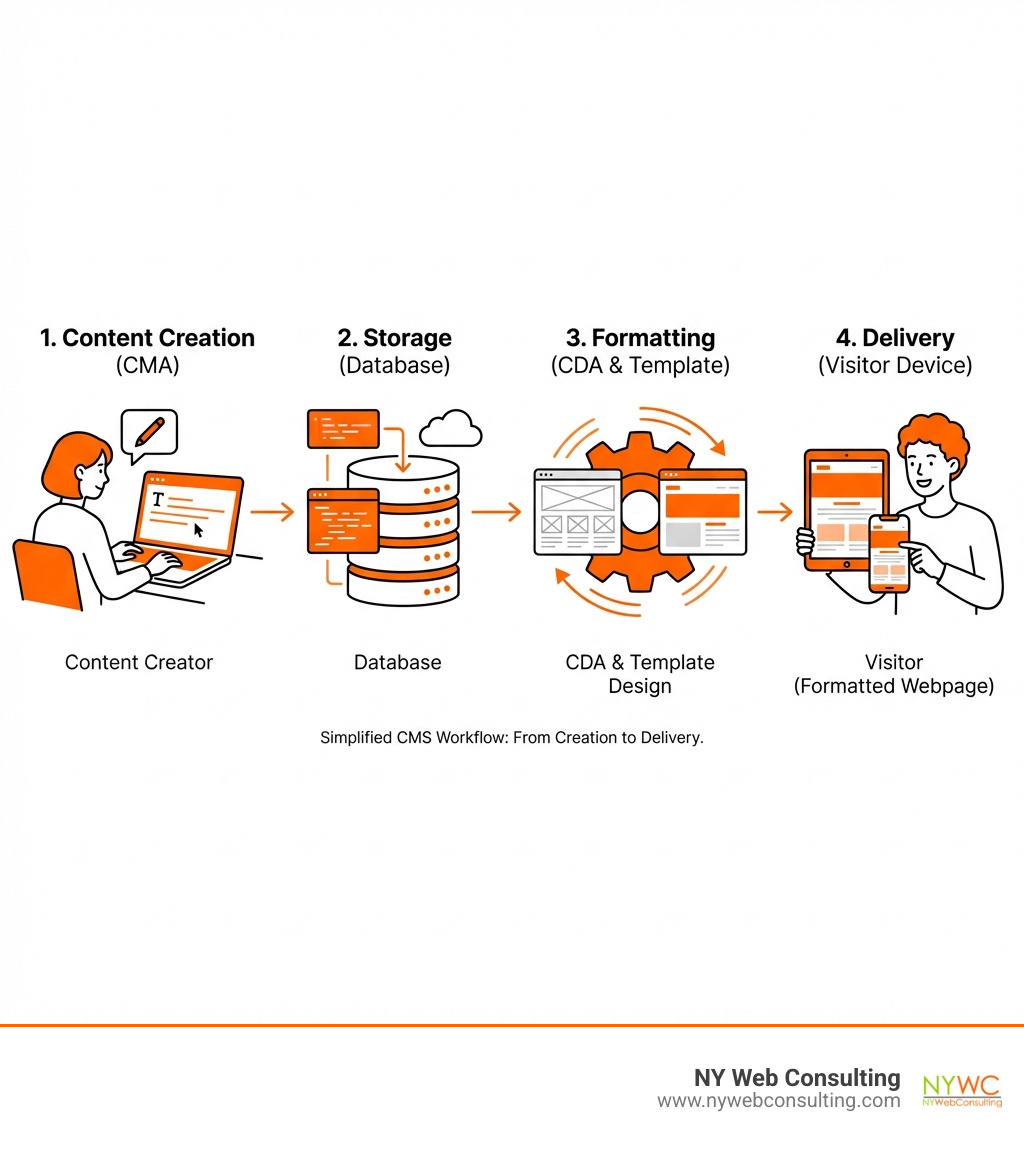
At its heart, a Content Management System (CMS) is software that allows users to create, manage, and modify website content without needing specialized coding skills. It works by separating your website’s content from its design, empowering a wider range of users to make updates effectively. This separation is a game-changer for CMS website development.
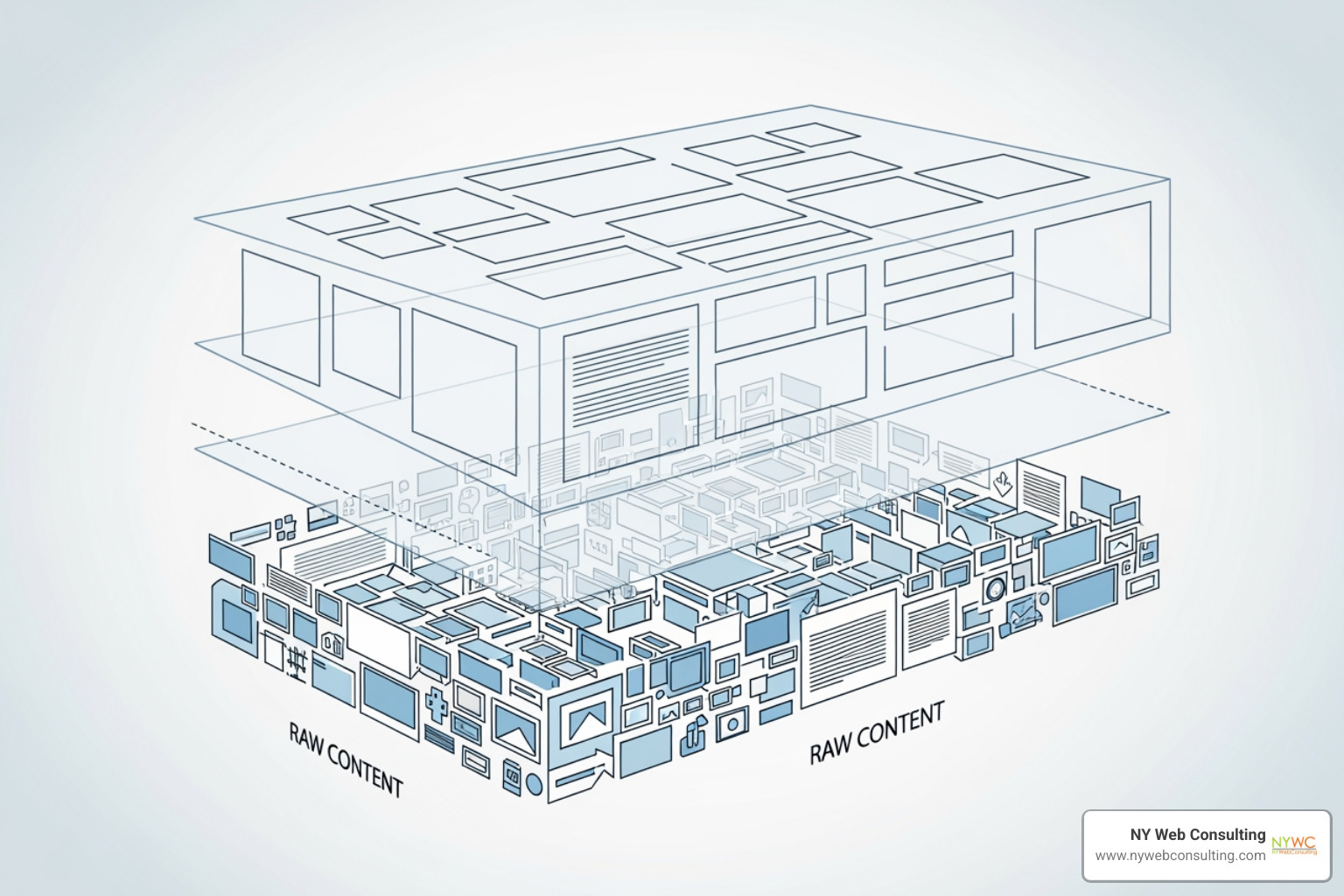
The magic happens through two primary components:
- Content Management Application (CMA): This is the user-friendly interface where you write posts, upload images, and create pages. It makes content creation feel as familiar as using a word processor.
- Content Delivery Application (CDA): Working behind the scenes, the CDA takes content from the database, applies your website’s design template, and compiles it into the final webpage a visitor sees.
Together, these components ensure content is easily managed and consistently displayed. For a deeper dive, you can explore What is a Content Management System (CMS)?.
Core Functions and Benefits
The primary appeal of a CMS lies in its comprehensive functions and tangible benefits:
- Content Creation and Editing: Intuitive editors allow anyone to draft, format, and publish content quickly.
- Content Publishing Workflows: Many platforms include review and approval workflows to ensure content quality and consistency.
- User Role Management: Assign different permissions to team members (e.g., writers, editors, administrators) to streamline collaboration and improve security.
- Version Control: Revert to previous versions of a page to undo accidental changes or unwanted edits.
- Lower Technical Barrier: Makes professional web management accessible to a broader audience without needing to know HTML, CSS, or JavaScript.
A Spectrum of Systems: Types of CMS Platforms
Just like there are many flavors of ice cream, there are many types of CMS platforms, each with its own strengths. Understanding these differences is crucial for your CMS website development project.
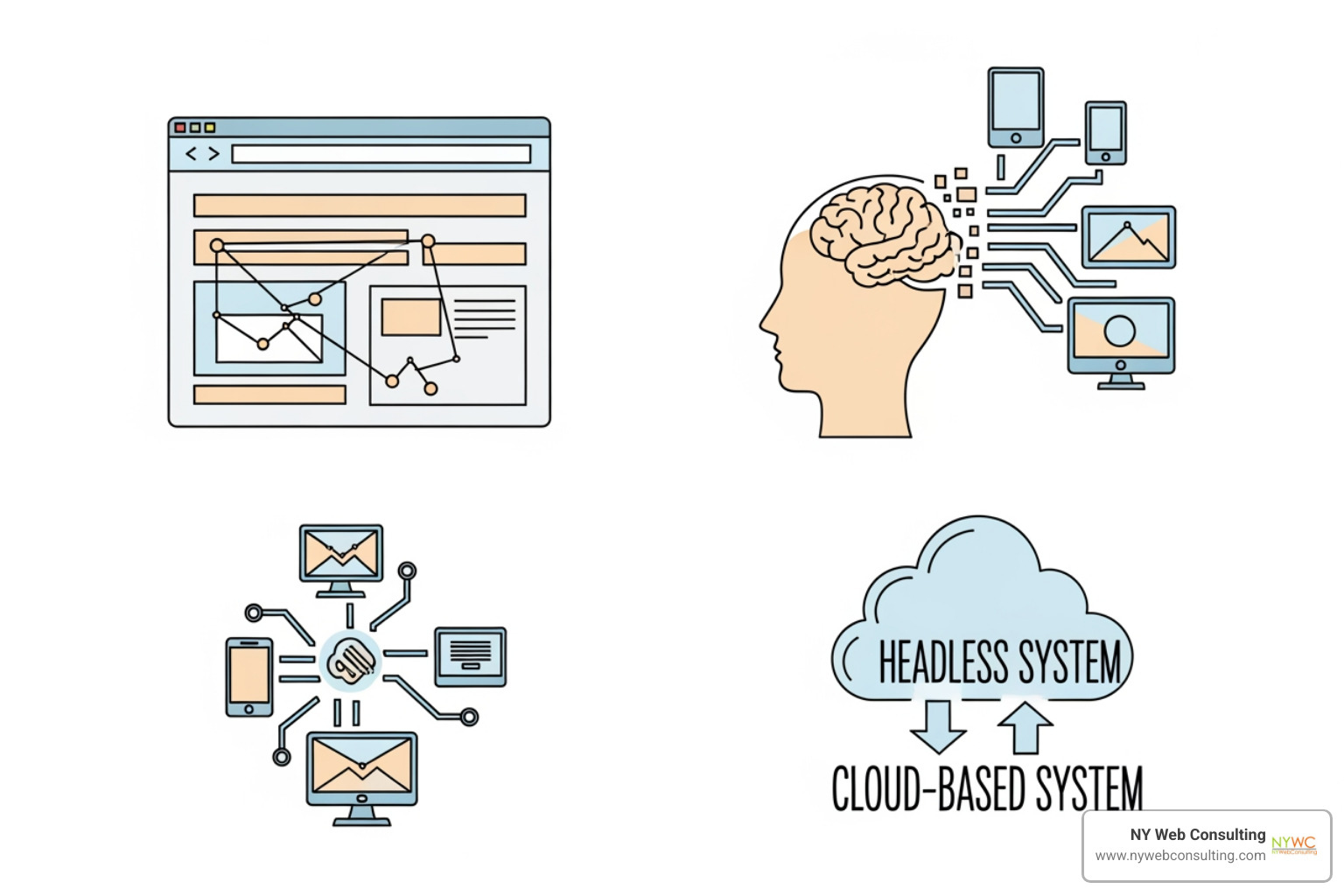
CMS platforms can be categorized by their architecture and licensing:
- Open-Source CMS: Platforms like WordPress, Joomla, and Drupal are free to use and modify. They thrive on large communities that create vast ecosystems of plugins and themes.
- Proprietary CMS: These are commercial products like Adobe Experience Manager that require a license fee. They often come with dedicated support but can be more expensive.
- SaaS (Software as a Service) CMS: Cloud-based platforms like Wix Studio and Webflow where you pay a subscription. They offer ease of use and automatic updates with minimal technical overhead.
Traditional vs. Headless CMS
The evolution of technology has led to two main architectural approaches:
- Traditional (Coupled) Architecture: The front-end (design) and back-end (content) are tightly integrated. This “all-in-one” solution is excellent for rapid development. WordPress and Joomla are classic examples.
- Headless (Decoupled) Architecture: A headless CMS separates the content repository from the presentation layer. It delivers content via APIs to any front-end, such as a website, mobile app, or smart device. This More on Headless CMS approach offers:
- Multi-channel Publishing: Create content once and publish it across various platforms.
- Frontend Flexibility: Developers can use modern frameworks (like React or Vue) for highly customized user interfaces.
- Improved Scalability: The front-end and back-end can scale independently.
TABLE comparing On-Premises vs. Cloud-Based (SaaS) CMS
Choosing between an on-premises and a cloud-based CMS is a fundamental decision in your CMS website development journey. Here’s a comparison:
| Feature | On-Premises CMS | Cloud-Based (SaaS) CMS |
|---|---|---|
| Control | Maximum control over software, hardware, and data | Less control, dependent on vendor’s infrastructure |
| Maintenance | Your team is responsible for all maintenance, updates, and security patches | Vendor handles all maintenance, updates, and security |
| Security Responsibility | Entirely your responsibility, requiring internal expertise and resources | Shared responsibility; vendor secures infrastructure, you secure your content and user access |
| Scalability | Requires manual scaling of your own server infrastructure | Easily scalable, vendor handles infrastructure upgrades as needed |
| Cost Structure | High upfront costs (hardware, licenses, staff) with ongoing operational expenses | Subscription-based (monthly/annually), lower upfront costs, predictable expenses |
| Implementation Speed | Longer implementation due to infrastructure setup and configuration | Faster to deploy, often ready to use within minutes or hours |
| Examples | Self-hosted WordPress, Drupal, Joomla | Wix Studio, Webflow, Shopify, Contentful |
For many businesses in Queens and NYC, cloud-based solutions offer a compelling balance of ease of use and reduced overhead.
The Strategic Advantage: How a CMS Lifts Your Website
A well-chosen CMS is a strategic asset that turns your website into a dynamic platform for growth. It improves the User Experience (UX) for both your visitors and your internal team.
Boosting SEO and Scalability
In a competitive market like New York City, ranking well in search engines is non-negotiable. A CMS is a powerful ally in this regard:
- SEO-Friendly URLs: Most platforms automatically generate clean, readable URLs that help search engines understand your content.
- Easy Metadata Management: Easily add and edit meta titles, descriptions, and alt tags to improve search visibility.
- Content Structure for Crawlers: A logical content hierarchy helps search engine crawlers index your site effectively.
- Faster Performance: Many CMS platforms are optimized for speed, a key factor in both SEO rankings and user satisfaction.
- Scalability: A CMS is designed to grow with your business, handling more traffic and content without performance issues.
Enhancing Security and Collaboration
A robust CMS protects your digital assets and streamlines teamwork:
- Built-in Security Features: Many platforms include protection against common web vulnerabilities and secure login protocols. Some are even SOC 2 certified and GDPR compliant.
- Regular Updates: Open-source communities and SaaS vendors release regular security updates to patch vulnerabilities.
- User Permissions: Granular user roles reduce the risk of unauthorized changes or data breaches.
- Content Workflows & Team Collaboration: Ensure content is reviewed and approved before publication, fostering an efficient, collaborative environment.
Your Blueprint for Success: The CMS Website Development Process
Starting a CMS website development project is an exciting journey. We break down the process into five key stages to ensure a smooth and successful outcome.
- Project Planning & Strategy: We define your business goals, target audience, and website requirements.
- Design & User Experience (UX): We create wireframes and mockups to define the site’s structure and visual look, focusing on an intuitive user experience.
- Development & Customization: We install and configure the CMS, develop custom themes, and integrate necessary plugins.
- Content Migration & Population: We populate the site with your content, migrating from old systems or creating new, optimized content.
- Launch & Maintenance: After thorough testing, the site goes live. We provide ongoing maintenance, security updates, and support.
Key Factors in Choosing the Right CMS
Selecting the right CMS is critical. We consider these factors:
- Project Requirements: What does the site need to do? (e.g., blog, e-commerce, corporate portal).
- Budget: Costs range from free open-source options to paid licenses and subscriptions.
- Scalability Needs: Choose a CMS that can grow with your business.
- Ease of Use: The interface should be intuitive for your team.
- Security & Support: Evaluate built-in security, update frequency, and available support.
Popular Examples:
- WordPress: The most popular CMS, excellent for blogs, business sites, and e-commerce.
- Joomla: A flexible open-source CMS great for complex web applications.
- Drupal: A robust, secure, enterprise-grade CMS for large, complex websites.
- Craft CMS: Praised for its flexibility and content-first approach, ideal for custom designs.
- Wix Studio: An intuitive SaaS platform for visually stunning websites.
- Webflow: A design-centric CMS for creating custom websites without code.
- Agility CMS: A composable, headless CMS built for enterprise needs.
For more information on how we tailor these choices, explore our More info about our Web Design Services.
Customizing Your CMS with Plugins and Extensions
One of the biggest strengths of modern CMS platforms is their extensibility through plugins and extensions.
- Extending Functionality: Add features like e-commerce, advanced SEO tools, or CRM integrations with plugins.
- Custom Development: If a ready-made solution doesn’t exist, we can develop custom plugins or modules for unique business requirements.
- API Integrations: Modern CMS platforms integrate seamlessly with third-party services like payment gateways, email marketing tools, and analytics platforms.
This ability to customize means your website can evolve with your business. Learn more in our article, Building Beyond the Theme: The Art of Custom WordPress.
Advanced & Enterprise-Level Considerations
For larger organizations, CMS website development moves beyond basic content management. Enterprise-level considerations include handling massive scale, complex integrations, and strict governance and compliance (e.g., GDPR, SOC 2). Features like Digital Asset Management (DAM) and multi-site management become essential.
Key Features for Enterprise Needs
Enterprise CMS solutions offer features designed for scale, security, and integration:
- Advanced Security Protocols: Features like single sign-on (SSO), advanced access controls, and audit trails protect sensitive data.
- Scalable Architecture: The platform must handle high traffic and large content volumes, often using a headless or API-first architecture.
- Integration Capabilities (CRM, ERP): Seamless integration with business systems like CRM and ERP is vital for a unified digital strategy.
- Multilingual Support: Robust features for managing content in multiple languages are indispensable for global or diverse markets like New York City.
- Dedicated Support: Enterprises often require dedicated support teams and service level agreements (SLAs).
The Power of Community in Open-Source CMS
Open-source platforms like WordPress, Joomla, and Drupal are driven by global communities, which provides significant advantages:
- Volunteer-Driven Development: Thousands of volunteers worldwide contribute to continuous innovation and improvement.
- Global Support & Resources: Vast support forums, extensive documentation, and a huge ecosystem of free and premium plugins provide invaluable resources.
- Rapid Innovation: The open-source model fosters collaboration, ensuring the CMS remains secure and cutting-edge.
The widespread adoption of these platforms, with WordPress powering 43.6% of the top 10 million websites (per W3Techs content management usage statistics), underscores the power of community-driven development. This vibrant community provides a stable foundation for websites we build in Glendale, Queens, and New York City.
Conclusion: Build Your Digital Future with the Right CMS
In our journey through CMS website development, we’ve seen how a Content Management System is the engine behind modern, dynamic websites. It simplifies content creation, boosts SEO, improves security, and enables seamless collaboration.
The right CMS is a strategic business tool that can drive your growth and future-proof your digital presence. Whether you need a traditional coupled CMS for its simplicity or a headless solution for ultimate flexibility, the choice is crucial.
At NY Web Consulting, we specialize in leveraging the best CMS platforms to build fast, secure, and SEO-friendly websites that convert visitors into leads for businesses in Glendale, Queens, and across New York City. We understand the nuances of each system and how to tailor them to your unique needs.
For a professional partner in your next project, explore our web design services.